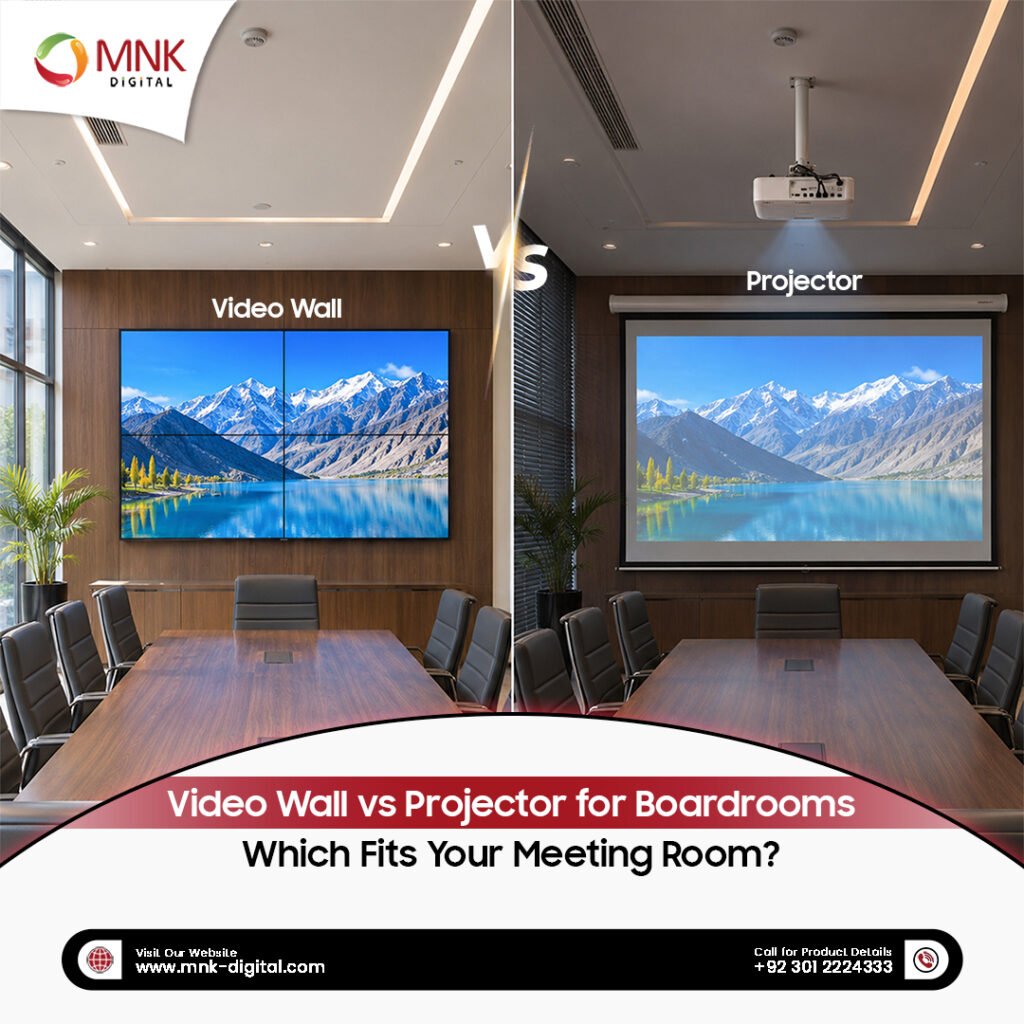
A Video Wall is usually the better starting point for a bright boardroom where people need to read spreadsheets, dashboards or technical drawings with the lights on. A projector can make more sense in a room with good light control, especially if you need a large image for occasional presentations or already have a usable screen and mount.
Before comparing models or asking for a quote, open a presentation your team uses every week. Think about the smallest figure someone needs to read, where that person normally sits and how bright the room is during a meeting. Those three details will tell you what to look for in a demonstration.
Video Wall vs Projector at a Glance
A video wall combines several display panels or modules into one large image. Commercial LCD video walls use panels with narrow borders, so you can still see the joins. Direct-view LED walls use modules that form a continuous display surface without LCD panel borders. A projector sends its image onto a separate screen. What you see depends on the projector, the screen and the light falling on it.
How Video Walls & Projectors Compare in a Boardroom
| What Matters | Video Wall | Projector |
|---|---|---|
| Room lighting | A practical option when the room stays bright. Check for glare and reflections. | Usually easier to use when you can control light falling on the screen. |
| Small text and numbers | Check readability from the back row and where LCD panel joins cross the image. | Check image size, focus and contrast using your own files with the lights set for a normal meeting. |
| Installation | Needs a suitable mounting structure, power, signal cabling and access for servicing. | Needs space for the screen, a suitable projector position and a cable route. |
| Maintenance | Ask how a panel or module is replaced and whether compatible spares are available. | Ask about access to the unit and the filter or light-source requirements for the exact model. |
| Best starting point | Bright rooms with frequent meetings and a genuine need for a large display. | Rooms with controllable lighting that mainly show slides, videos or training material. |
1. Check the Room at the Time You Actually Use It
A boardroom can look dim during a morning site visit and be much brighter by the afternoon. Windows are one source of light. Glass partitions, overhead fittings and spotlights over the presentation wall can also affect the image. During a hybrid meeting, you may need some lights on so remote participants can see the people speaking.
With a projector, light falling on the screen can make dark areas look washed out. A slide with large text on a white background may still look fine while a dashboard with dark colours becomes hard to read. Blinds, separate lighting controls near the screen and a suitable projection screen can help. If a supplier specifies an ambient-light-rejecting screen, ask to see it paired with the proposed projector under comparable lighting conditions. Epson’s guide to projection in hybrid meeting rooms.
A video wall produces its own light, so it can be easier to see in a bright room. Reflections can still be an issue. Look at the display from the side seats as well as from the centre. Use a dark slide to check whether someone sitting opposite a window will see a reflection over the image.
2. Size the Image for the Farthest Seat
The right display size depends on what people need to see from where they sit. If they mainly watch videos or follow short presentations, the image can be smaller than it would need to be for reading financial reports or checking labels on a technical drawing. AVIXA’s display sizing standard bases image size and viewing positions on what viewers need to do with the content. AVIXA’s Display Image Size for 2D Content standard.
Measure from the proposed screen position to the farthest regular seat. Then give the supplier three files your team uses, such as a spreadsheet, a slide with a crowded chart and a document you typically share on a video call. Ask to see them at the proposed image size. From the back seat, try reading a row label and its value without asking the presenter to zoom in.
Check the nearest seats too. On a 2×2 LCD Video Wall, the panel joins run across the middle of the image. A line of text or a participant’s face can fall on that join, depending on the layout. With direct-view LED, ask to see the proposed pixel pitch from the closest seat. Pixel pitch is the distance between neighbouring pixels, and a pattern that looks smooth from the back can be visible up close. With a projector, check that small text stays sharp in the corners as well as in the centre.
3. Compare the Complete Installed Cost in Pakistan
Ask suppliers to quote against the same room dimensions, viewing distances and examples of your content. Request itemised prices in PKR and confirm whether applicable taxes are included. You can then see whether both quotations cover the work needed to get the room ready for meetings.
- For a video wall: Ask for the exact panel or module model, mounting system, supporting structure where required, signal equipment, cabling, installation and setup. If the wall is recessed into cabinetry, ask how a technician will remove a panel or module for service.
- For a projector: Ask for the exact model, screen type and size, mount, cabling and any ceiling work. Include the cost of blinds or lighting changes if those are needed to achieve the image quality you saw in the demo. If you plan to keep an existing screen or mount, have the supplier confirm compatibility in writing.
Find out who handles warranty claims and whether on-site labour is included. Ask how long a replacement panel, LED module or projector part typically takes to obtain. If your office is outside the supplier’s main service cities, confirm whether a technician can visit your site and how call-out charges are handled.
If the purchase is part of a renovation, share the proposed display position with the fit-out and AV teams before they close the ceiling or finish the wall. Agree who supplies the power points, who runs the cables and who makes good the wall after installation. These details can change the total cost and affect when the room is ready to use.
4. Test the Setup With a Real Meeting
Run a short meeting as part of the demo. Have a guest connect a laptop, ask someone to join remotely and switch between a slide deck and a spreadsheet. If your team uses Microsoft Teams or Zoom, test screen sharing in that application. Check how much room the shared content has once participant tiles are visible. A display that looks large in a showroom can feel much smaller when several windows are open.
Include audio and camera placement in the test. Ask a remote participant whether they can hear people at the far end of the table and see their faces with the room lights set for presentations. Also check how a presenter switches sources, which laptop ports work and whether anyone needs an adapter.
If the room uses a UPS or generator, ask your installer to confirm which devices are on backup power. The display, controller, conferencing system and network equipment may need to work together for the meeting to continue. Ask the installer to verify the selected equipment’s electrical load and demonstrate how the system comes back after a power interruption.
Which Option Fits Your Meeting Room?
Bright Executive Boardroom With Daily Meetings
Compare video wall options if the room needs a large display and regularly shows detailed content with the lights on. Choose the layout after seeing your reports and video calls on it. On LCD, pay attention to how the joins affect content. With direct-view LED, check readability and image appearance from the nearest seats. Explore Samsung LCD video walls in Pakistan.
Training Room With Blinds and Occasional Presentations
A projector is worth keeping or upgrading if the room has a suitable screen, enough space for the required image size and good lighting control. Test it with the lights set the way a trainer would use them. Participants should be able to read the slides and take notes without asking for the room to be made brighter.
Small Meeting Room With a Short Table
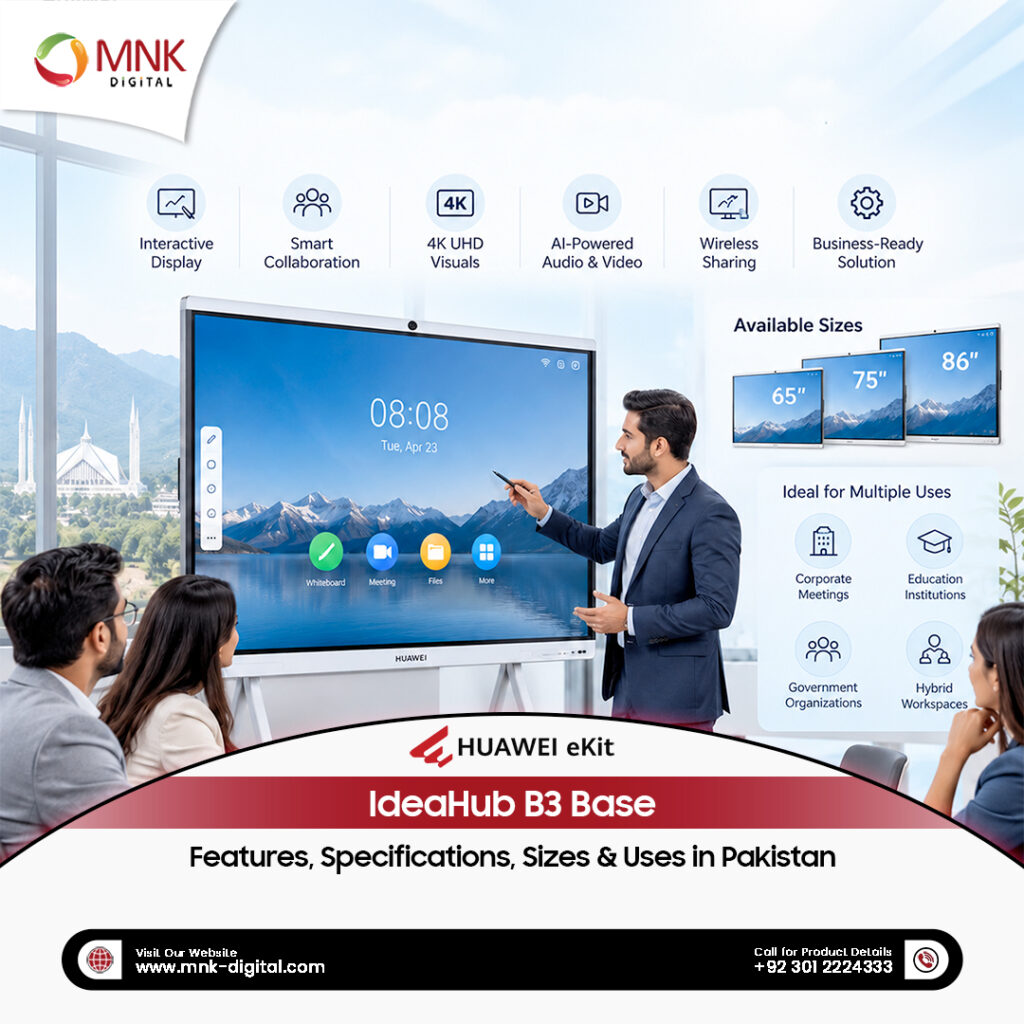
Include a single commercial display in your comparison. It may give everyone enough image area with a simpler installation. If the team frequently annotates drawings, runs workshops or uses a digital whiteboard, ask to try an interactive display with your own files. Explore MNK Digital’s display options for different meeting room sizes.
Frequently Asked Questions
Is a Video Wall Always More Expensive Than a Projector?
Installed costs vary with the image size, equipment and room work. Keeping a usable projection screen, mount and cabling can make a projector upgrade economical. A new projection setup may also require ceiling work and improved light control. Compare complete quotations for the same room and expected use.
Can We Keep Our Existing Projector?
Yes, if the image is readable from the farthest seat during a normal meeting and the projector works reliably with the devices people bring in. If the picture looks dim, check whether light is falling on the screen and whether the projector needs servicing. If the main issue is small text, check whether the projected image is large enough for the content you show today.
Does Every Video Wall Need a Separate Controller?
It depends on the selected panels and the way you want to show content. Some commercial LCD panels can pass a single signal from panel to panel to create one large image. If you want to show several independent feeds at once, ask the supplier to demonstrate the proposed layout and list any processing equipment included in the quote. Samsung’s VHC-R Video Wall
What to Share Before Asking for a Quote
Send your room dimensions, the distances to the nearest and farthest seats, and a photo of the proposed display wall taken during normal daylight. Include two or three examples of what your team needs to see. If you have a projector already, add its model and explain what prompted the upgrade, whether that was glare, small text or difficulty connecting laptops.
MNK Digital can use these details to assess the room and discuss a suitable display and installation scope. Ask for a demonstration using your own content before you approve the quotation. Discuss your boardroom or meeting room with MNK Digital.